swissdamed · Importers · UDI data
swissdamed: Link up to 1,000 device codes to an importer in a single operation
News · Updated:
A key next step is now available in swissdamed for importers of medical devices and in vitro diagnostic devices: Since 1 October 2026, they have been able to link their actor registration to the devices they place on the Swiss market, provided those devices have already been registered.
The linking obligation also covers systems and procedure packs. For larger portfolios, a bulk linking function supports up to 1,000 UDI-DI or EUDAMED ID codes per operation. A complete code list, the appropriate user permissions and prior device registration are essential.
At a glance
Device registration creates the device record in swissdamed. Importer linking associates that existing record with the relevant importer. The two steps serve different purposes and have different transitional deadlines.
Two deadlines to plan for now
DEVICE REGISTRATION
31 December 2026
End of the standard transitional period for registering the relevant devices in swissdamed.
IMPORTER LINKING
1 April 2027
End of the transitional period for linking importers to the relevant devices.
Important: The later linking deadline does not extend the device registration deadline. From 1 April 2027, Swissmedic will no longer accept any delay between placing an imported device on the market and linking it in swissdamed. Until that date, Swissmedic will not take enforcement measures solely because a link is missing.
Special deadline for eyewear: 1 November 2028
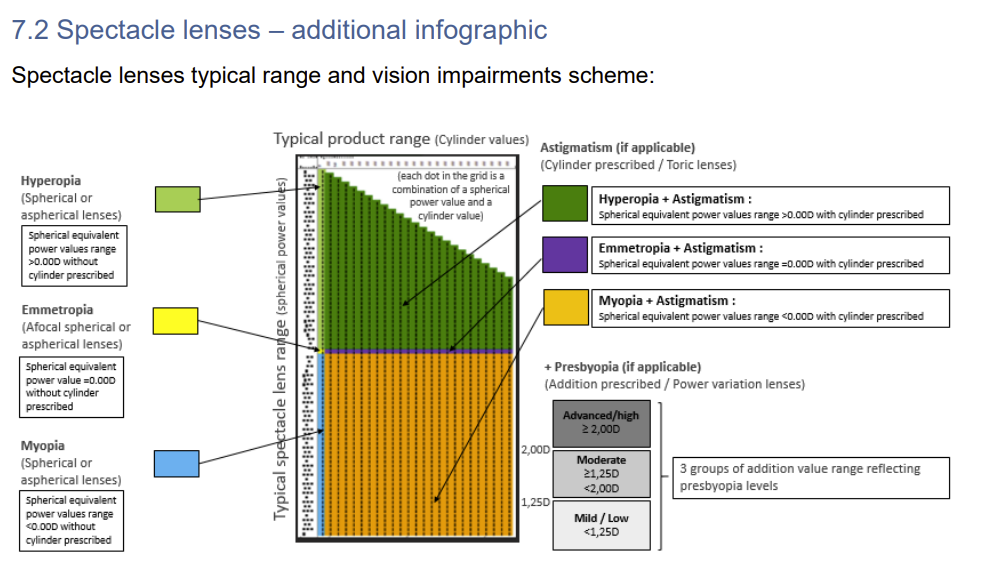
According to Swissmedic, a later deadline applies to spectacle frames, spectacle lenses and ready-to-wear reading spectacles for Master UDI-DI assignment, registration and importer linking: 1 November 2028.
Immediate device registration is required in certain vigilance cases. The standard transitional period therefore does not apply to every situation.
What needs to be in place before linking?
- Existing device record: The relevant record must already be registered in swissdamed. Registration in EUDAMED alone is not sufficient for this step.
- Correct market status: The device must have the status “On the market” in swissdamed.
- Appropriate permissions: The user needs the “UDI Linker” profile for the relevant importer. If the user has access to several importers, the correct actor must be selected.
- Up-to-date actor details: Devices are linked to the importer using its CHRN. The importer’s contact details in the Actors module must be kept up to date.
Agree on responsibilities early
Importers do not register devices in this role. They link their actor registration to existing device records. Missing registrations should therefore be addressed promptly with the responsible manufacturer or Swiss authorised representative.
Bulk linking: How the process works
Start at “My UDIs” → “UDI Linking” → “Bulk link UDI-DIs”. Then complete these four steps:
- Enter the code list
Enter up to 1,000 UDI-DI or EUDAMED ID codes in the text field as a space-separated list. - Check the list
Click “Check” to see which codes are found and can be linked. - Review the results
Review both linkable and non-linkable entries. Use “Edit list” to correct the input; result lists can be copied. - Confirm the links
The links are created only when you click “Link UDI-DIs”. You can then review the linked devices under “UDI Linking”.
The official guide with screenshots
The user guide explains how to search, create bulk links and remove links, step by step. See Chapter 14, pages 36–42 of the English edition.
What does “bulk upload” mean here?
Swissmedic uses this term on its website. For importer linking, however, the user guide shows a code list being entered in a text field. It does not describe uploading an Excel, CSV or XML file for this workflow.
Which entries can prevent linking?
swissdamed displays codes that cannot be linked together with the reason. The guide lists the following cases:
- No UDI-DI or EUDAMED ID was found for the code.
- According to the validation rule, the record was not registered by a foreign manufacturer.
- The device has the market status “No longer placed on the market”.
- The code exists under two different issuing entities.
- The same code was entered twice in the input list.
The quality of the source list is therefore a practical success factor: Duplicates, missing registrations and unclear device identifiers should be resolved before linking.
Take legacy devices and existing links into account
A special case involving legacy devices
If the same entered code exists for both a regulation device and a legacy device, the input screen shown in the guide indicates that both records are linked, as they refer to the same device.
Existing links can be searched and reviewed. If a link needs to be removed, use “Unlink UDI-DIs”. Multiple entries can be selected for this step as well. Swissmedic does not charge a fee for importer linking itself.
What companies should prepare now
- Reconcile your portfolio: Match the devices you place on the market to the required UDI-DIs or EUDAMED IDs.
- Clarify registration status: Work with manufacturers and Swiss authorised representatives to address missing records or incorrect market statuses.
- Set up user permissions: Check the responsible users and the “UDI Linker” profile for the correct importer.
- Carry out linking with appropriate checks: Check the lists, confirm eligible links and reconcile the results with your own portfolio.
Are your device data ready for swissdamed?
Europe IT Consulting supports manufacturers and Swiss authorised representatives with UDI data preparation and validation, as well as device registration in swissdamed through the Global Submission Portal.
Tell us how many UDI-DIs are relevant to your Swiss portfolio and which data are already available. Together, we can identify the steps where support would be useful.
Request supportSources and further information
- Swissmedic: swissdamed User Guide UDI Devices Module
Version 5.0, valid from 1 October 2026; in particular Chapter 14, pages 36–42 of the English edition. The German edition’s input screen on page 41 explicitly states the limit of 1,000 codes and the special case involving legacy devices. - Swissmedic: Obligations of importers in swissdamed
Availability of the function, transitional deadlines, fees and special provisions. - Swissmedic: Registration questions and answers
Additional information on device registration, transitional periods and vigilance cases.
Sources accessed and documentation reviewed: 19 October 2026.











Related Posts