UDI EXCEL CLOUD VALIDATOR
UDI Excel Cloud Validator for EUDAMED and FDA GUDID
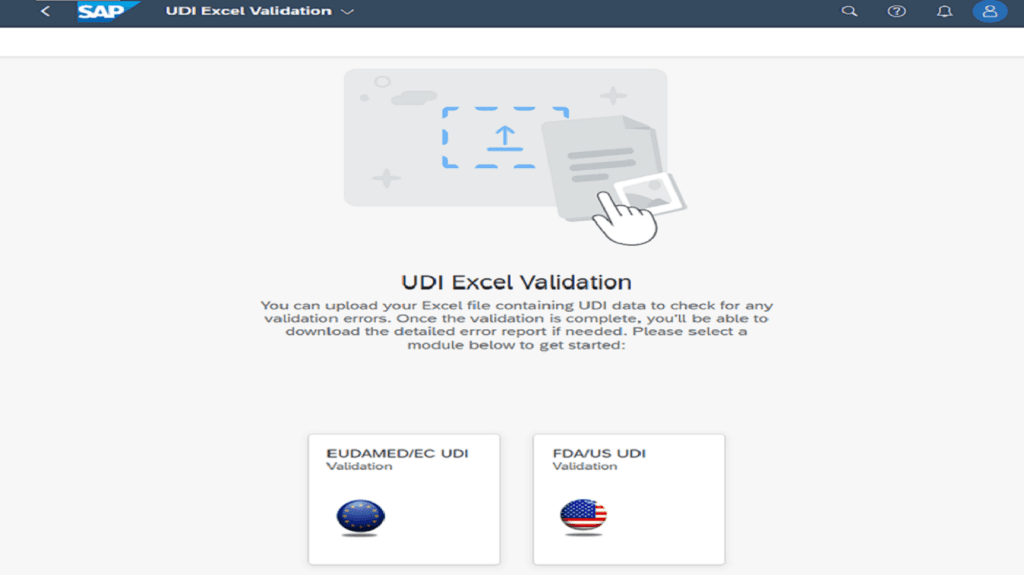
Validate UDI Excel files in the browser, correct errors efficiently, and prepare clean data for the next submission step.
Row-level findings
Excel/CSV validation report
No SAP system required
Cloud-based on SAP BTP · EU hosting · no local installation required
LESS MANUAL VALIDATION WORK
From a large Excel file to specific corrections
The Validator does more than show that a file contains errors. It assigns findings to the affected record, giving Regulatory, Quality, and UDI teams a clear basis for correction.
1
Find errors earlier
Issues become visible before the file enters the subsequent submission process.
2
Correct efficiently
Record-level guidance makes it easier to review and correct the source data.
3
Document results
The exportable validation report supports reviews, correction cycles, and coordination with suppliers.
HOW IT WORKS
Three steps from Excel upload to validation report
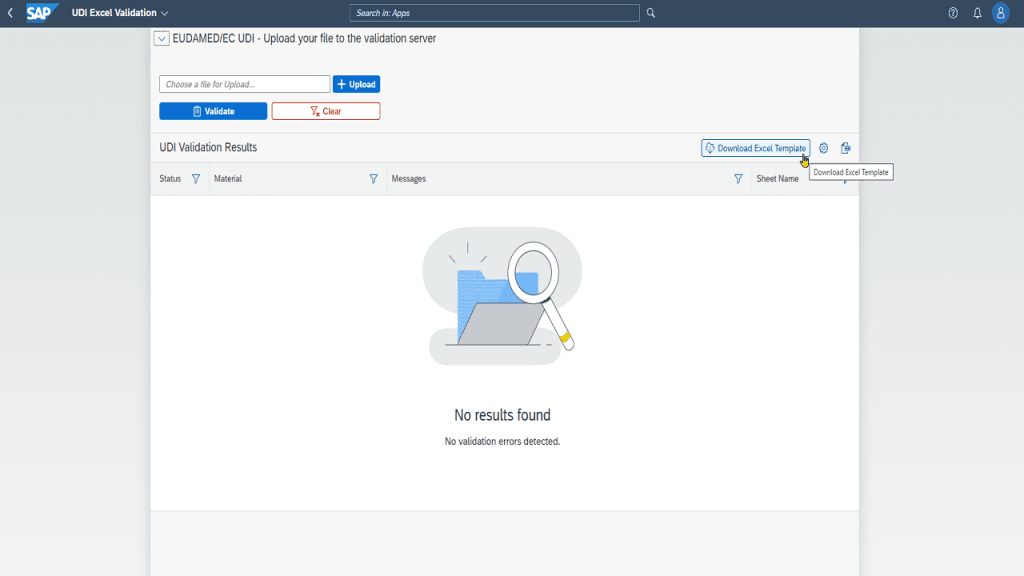
Step 1
Prepare and upload the file
Start with the provided template or your own appropriately structured Excel file. Upload it directly in the browser.
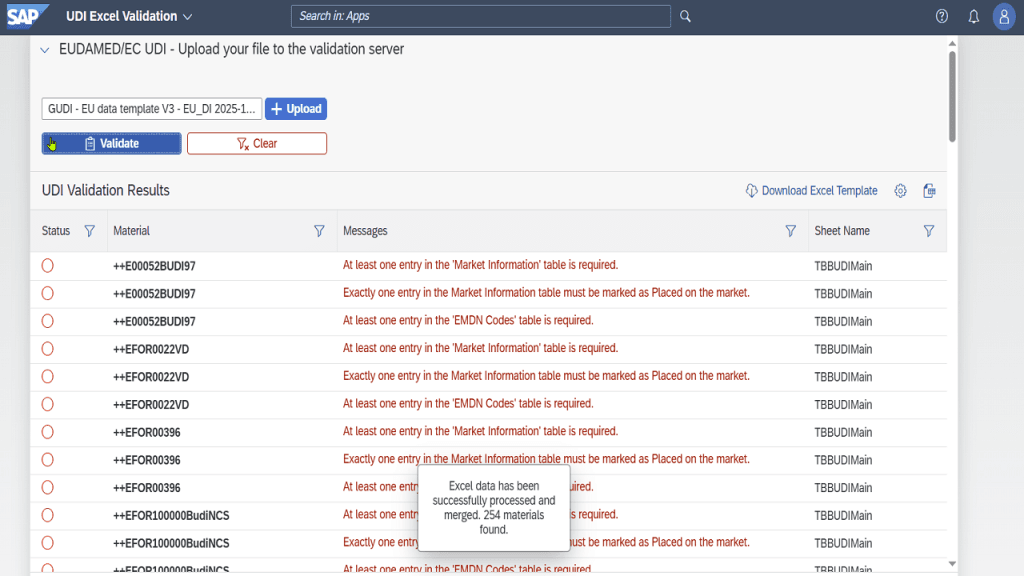
Step 2
Select the target system and validate
EUDAMED and FDA GUDID use different data structures and rules. The Validator checks the file against the selected target system.
- required fields and data formats
- permitted values and field dependencies
- cross-sheet consistency and business rules
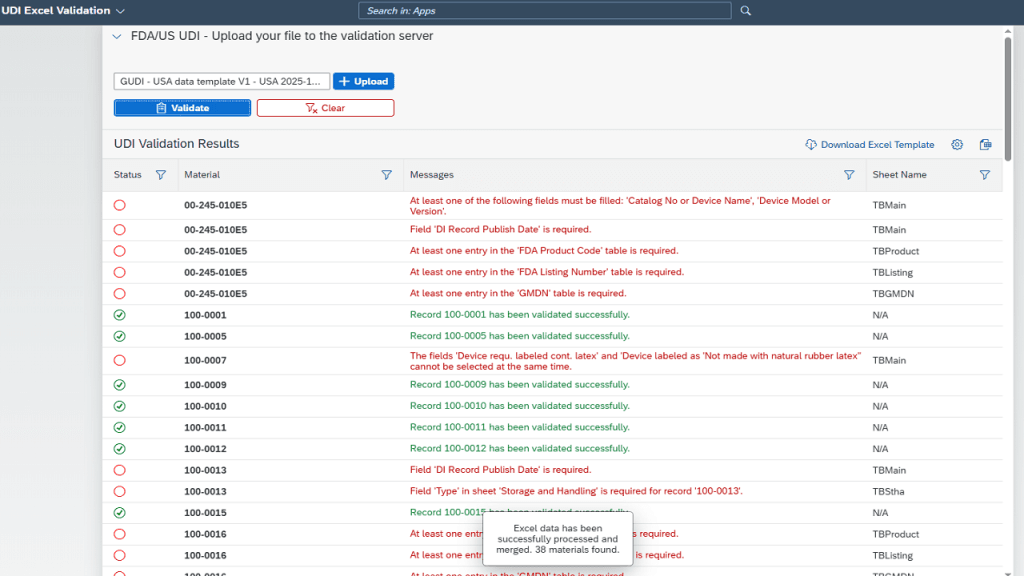
Step 3
Resolve findings and export the report
The responsible team corrects the source data and can validate the file again. Results can be exported as an Excel or CSV validation report.
WHAT IS VALIDATED?
Typical data issues become visible early
TWO VALIDATION PATHS
EUDAMED and FDA GUDID
Choose the appropriate edition for your market. Companies working with both target systems can combine both validation paths.
EUDAMED UDI validation
- for prepared EUDAMED UDI Excel files
- record-level errors and warnings
- structured correction cycles before the next process step
FDA GUDID validation
- for prepared FDA GUDID Excel files
- direct assignment of findings to the record
- clear separation of errors and successful checks
FDA Edition
Combined Edition
CLOUD & BROWSER-BASED
Ready to use – no local installation
The UDI Excel Cloud Validator runs on SAP BTP and is used through the browser. No customer SAP system is required for Excel validation.
- no local Validator installation
- independent of the original ERP or source system
- EU hosting
- available in the SAP Store as a partner solution
WHICH SOLUTION FITS?
Validator, Global Submission Portal, or GUDI?
The Validator has a clearly defined role: it checks UDI data from Excel. Separate solutions are available for advanced submission or SAP processes.
FAQ
Frequently asked questions
Does the Validator submit data directly to EUDAMED or FDA GUDID?
Do I need an SAP system?
Can I upload my own Excel file?
Can I download the results?
Does the Validator automatically correct my UDI data?
SEE THE VALIDATOR LIVE
Validate a UDI Excel file or schedule a product demo?
Tell us whether you need EUDAMED, FDA GUDID, or both validation paths. We will show you the right way to get started.
