FROM SCATTERED DEVICE INFORMATION TO STRUCTURED DATA
swissdamed Excel template: prepare structured UDI data
A shared working basis for Regulatory Affairs, quality management and IT.
The swissdamed Excel template from Europe IT Consulting helps you organise device information, Basic UDI-DIs, UDI-DIs and associated details. Colour cues, selection lists and explanations support data entry and team coordination.
The result is a structured source dataset. Validation within the transfer process, technical conversion and submission are separate steps. The template does not itself generate the finished swissdamed XML file.
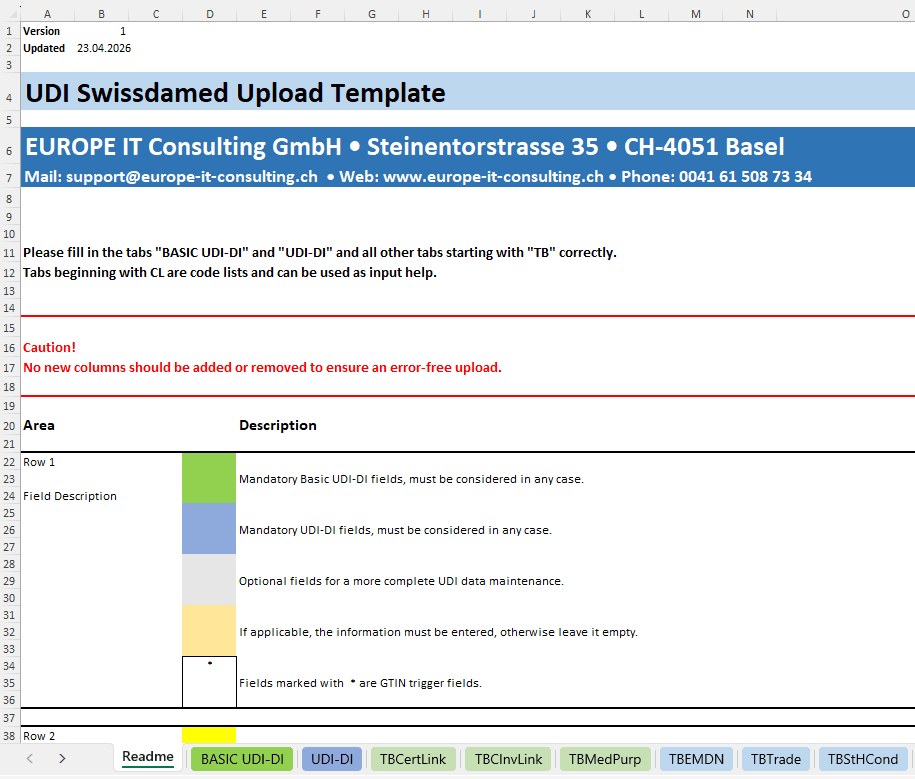
Less searching. Clearer relationships. Better preparation.
- Connected data instead of isolated lists: Device families, individual devices and supplementary tables stay connected.
- Consistent data entry: Defined columns and selection values make collaboration easier.
- A reviewable source dataset: Your team can address missing information and unresolved content questions before transfer.
- A suitable follow-on process: Use the template as the starting point for agreed validation, conversion and submission services.
Find the basics of actor registration and responsibility in our swissdamed overview.
Which template fits your data?
Describe your data source, device types and the support you need.
01 · Basic UDI-DI: capture the overarching relationships
The Basic UDI-DI worksheet organises overarching information. Record the identifier, issuing entity, device type, risk class and actor information required for your process. This may include model and device names or particular device characteristics.
- Establish the relationship between the device family and individual UDI-DIs.
- Clarify the manufacturer or responsible role and the Swiss mandate assignment.
- Correctly identify medical devices, IVDs, systems or procedure packs.
- Record relevant features such as implantability, measuring function, reusability or particular components.
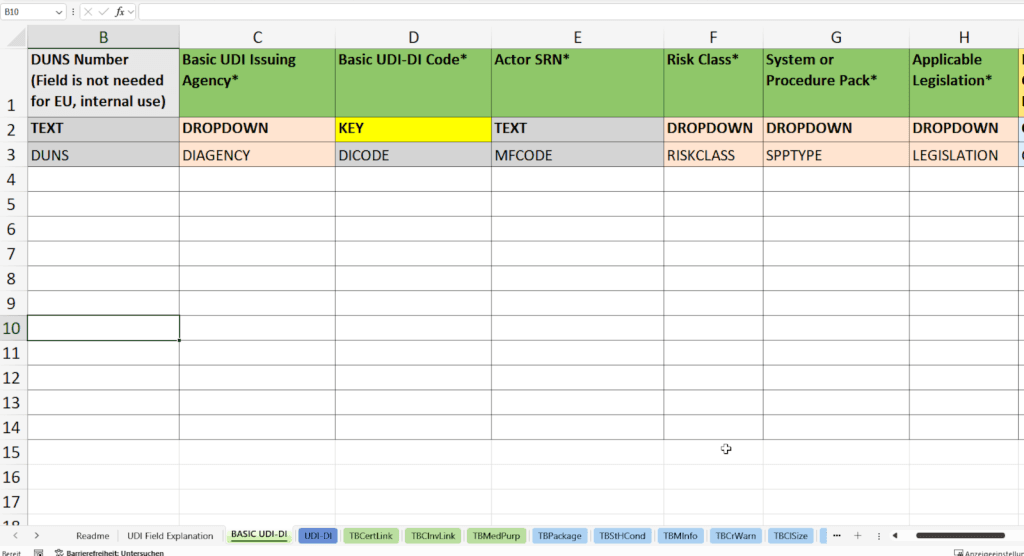
Clarify the Basic UDI-DI structure together
Describe your data source, device types and the support you need.
02 · UDI-DI: associate the individual device record
The UDI-DI worksheet records individual devices and their relationship to the overarching Basic UDI-DI. Internal material numbers and descriptions help map them to your source system.
- UDI-DI code, issuing entity and reference number.
- Quantity, device and packaging logic, and relevant status information.
- Direct marking, sterility, sterilisation before use and single use, where applicable.
- Production identification types, such as lot, serial number or date marking. This is different from transmitting every individual lot or serial value.
- Additional identifiers such as Unit of Use DI or Secondary UDI-DI, and URLs for device information or electronic instructions for use.
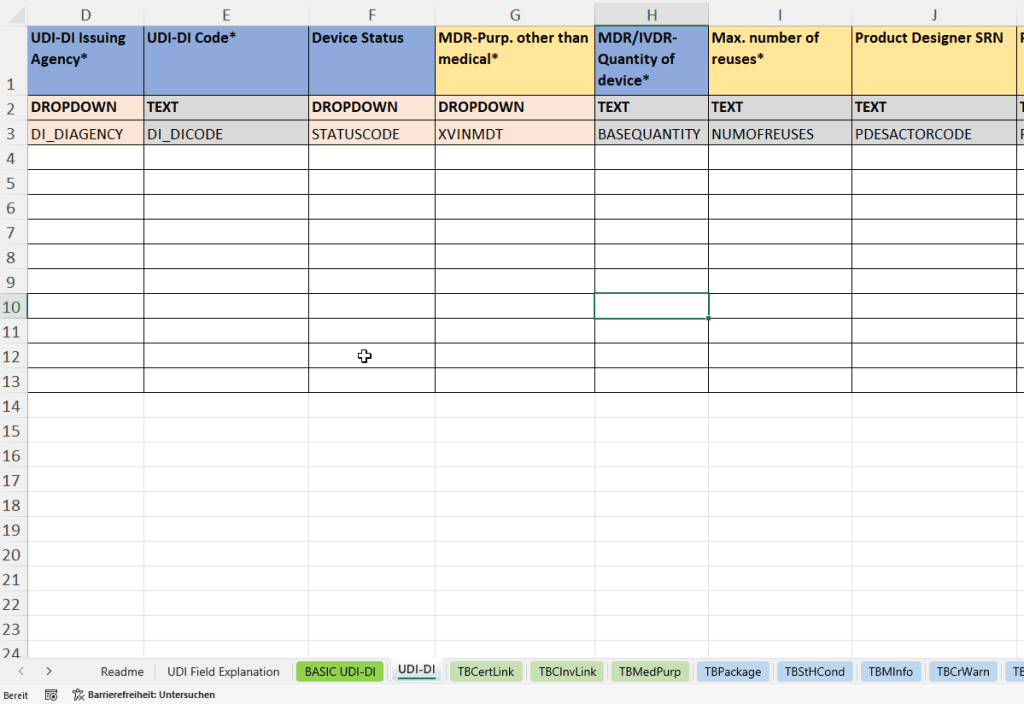
03 · Represent packaging and contained devices
Multi-level packaging requires clear relationships: which packaging contains which UDI-DI, and in what quantity? The packaging worksheet captures material number, packaging UDI-DI, issuing entity, status, contained identifiers and quantities.
Your team can then review the hierarchy directly instead of scattering packaging information across free-text lists. For sets and systems, the correct device type must also be determined.
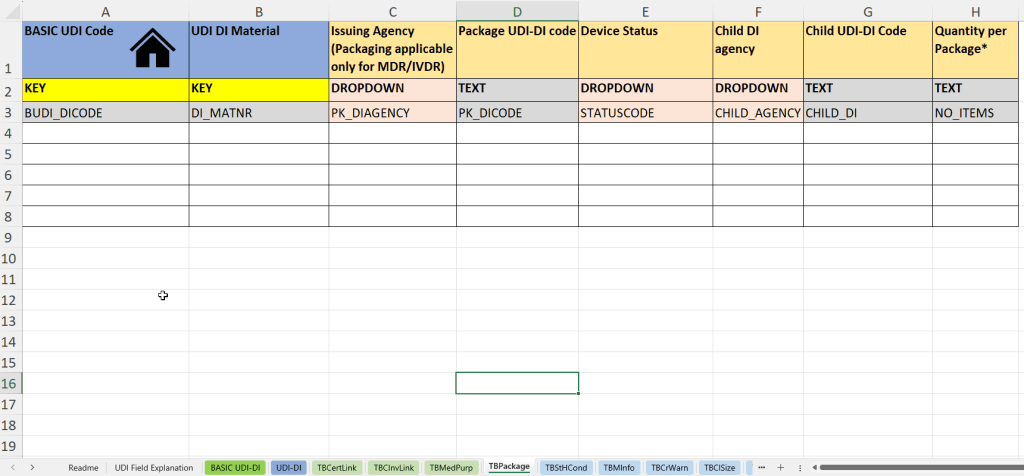
Prepare device and packaging data
Describe your data source, device types and the support you need.
04 · Add relevant detail
The worksheets cover more than identifiers. Which fields are needed and passed to the target system depends on the device, template and current mapping.
Certificate information
Basic UDI-DI association, certificate and revision numbers, type, notified body and validity period, where relevant to your data. Maintaining these in the workbook does not mean all certificate links are stored in swissdamed.
Clinical investigation / performance study
Identifiers and country information may be part of your source documentation. The EUDAMED links mentioned are not automatically part of the stored swissdamed record.
Language and medical intended purpose
Language assignment, intended purpose and language-dependent device information. Use the language values specified for the target process.
Storage and handling conditions
Condition types such as temperature, humidity or protection from light, with explanatory information linked to the relevant UDI-DI.
Critical warnings
Device-related warning types, for example concerning implants, latex or radioactivity, where required for the device.
Size information
Size format, unit and precision, plus minimum and maximum values where applicable. Values must match the device and source documentation.
CMR / endocrine-disrupting substances
Substance type, CAS/EC identifiers and language-dependent descriptions where applicable. The template supports structured data capture, not an independent legal assessment of substances.
Additional device description and trade name
Supplementary details on function, variant or composition, and trade and model names with language assignment.
Nomenclature
Assignment of the intended nomenclature code. swissdamed uses EMDN; check the current code list and the appropriate classification.
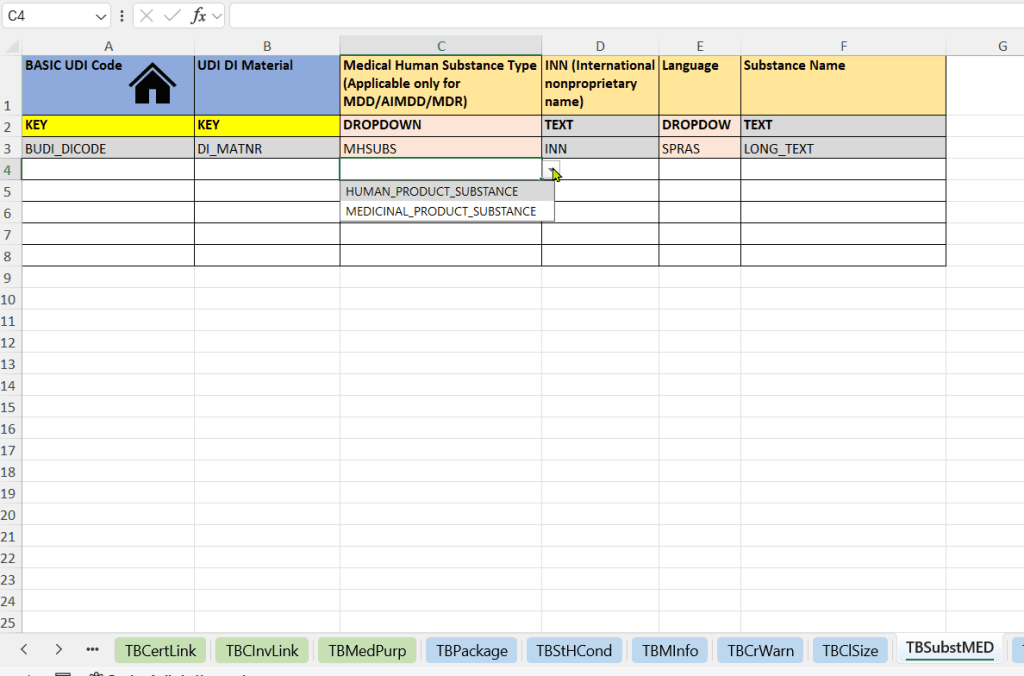
Human / medicinal substances
For relevant components, substance type, international non-proprietary name, language and designation can be documented structurally. Classification comes from your technical device documentation.
Support for more complex device data
Describe your data source, device types and the support you need.
Entry aids that make the template easier to use
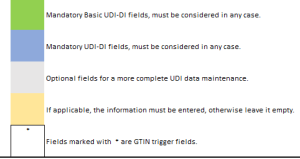
Recognise mandatory and conditional fields
Colours distinguish mandatory, optional and conditionally required information. They help users navigate, but do not replace a final review.
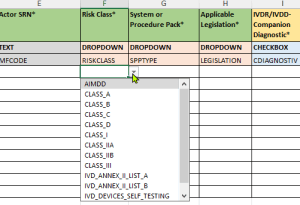
Use selection values consistently
Drop-down menus support standardised entries. Use the current template and do not independently change its column structure or value lists.
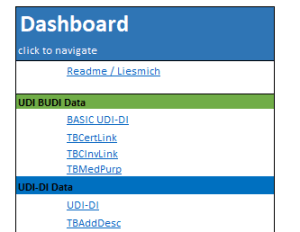
Use explanations and navigation
German/English descriptions, field notes and navigation support collaboration in international teams.
Check dependencies and consistency
The product description provides for entry and dependency checks, for example for related information or conflicting entries. The exact checks in the delivered version are defined for your quotation. Technical validation within the transfer process and your content review remain separate.
From the Excel file to transfer
- Enter: Your team enters the device data and resolves content questions.
- Check: Data and assignments are validated for the intended target process. Identified errors are corrected.
- Prepare: Technical conversion is a separate service, not an automatic export function of the workbook.
- Transfer: The configured portal or service process handles the approved records. Playground testing and production registration remain separate.
In the Global Submission Portal the customer uploads the module template and initiates transfer after successful validation. For SAP users, GUDI offers a different working environment. Existing EUDAMED data can be reused through the separate data transfer process .
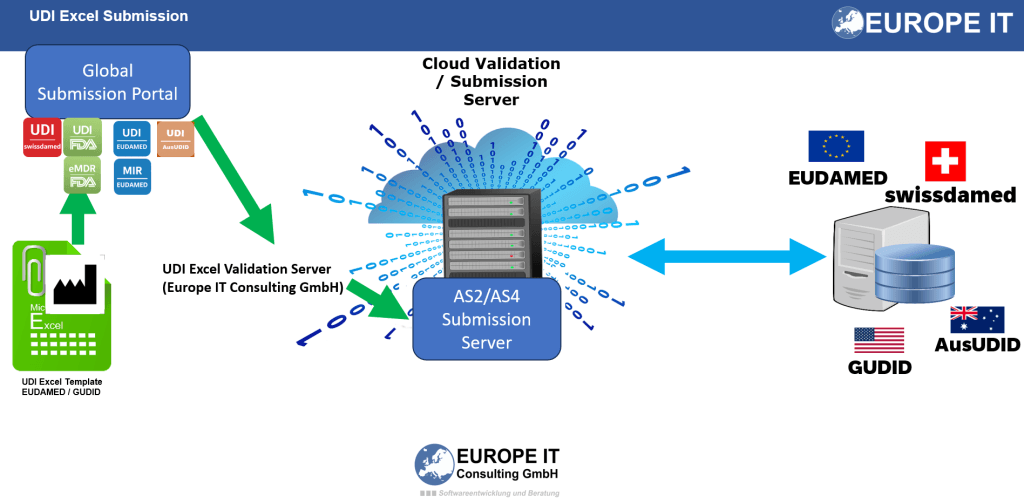
Swissmedic: available registration methods. For testing and technical preparation, see swissdamed Playground.
Combine the template, validation and transfer to suit your needs
Describe your data source, device types and the support you need.
Technical and organisational requirements
- File: Microsoft Excel (.xlsx); the existing product description specifies Excel 2016 and later. The intended working environment is agreed in the quotation.
- Structure: Protected areas help prevent unintentional structural changes. This is not a promise of encryption for your device data.
- Storage: The data entered resides in your file. Organise backups and access rights according to your IT and quality management requirements.
- Scope: Multiple Basic UDI-DIs and their associated UDI-DIs can be recorded. Practical handling and processing depend on the data; there is no blanket promise of unlimited capacity.
- Maintenance: Template structure and value lists are maintained in line with relevant changes. Confirm the current delivery version and update scope in your quotation.
Europe IT combines UDI data management, data validation and technical submission processes. Existing company statements about SAP partnership and ISO 9001 certification are company credentials, not regulatory approval of this Excel file.
swissdamed Excel template FAQ
Does the template generate XML files?
No. It is for structured data entry. We offer conversion and technical preparation as separate services.
Does Excel check everything Swissmedic checks?
No. Entry aids and template checks are not a complete authority validation or a guarantee of acceptance. Include a review and correction step before transfer.
Do I need advanced Excel skills?
Basic skills are sufficient for the intended data entry. Your team must nevertheless know the correct device information or obtain it from its documentation.
Can I reuse existing EUDAMED data?
Yes. First assess the transfer route from EUDAMEDbefore entering already structured data again.
Are updates included in the purchase?
The existing offer description includes important updates to the standard template structure and value lists. Extensive regulatory or technical changes may require a separate agreement. Your specific quotation governs.
Which follow-on process suits which users?
Both smaller and larger datasets can use a structured template. For regular transfers, multiple product lines or SAP as the source, we also assess portal, service and GUDI options. Record volume alone does not determine the route.
Where can I find the official requirements?
In the Swissmedic technical documentation and the linked Business Rules and Data Dictionary. The Europe IT template is a provider product, not an official Swissmedic file.
Your next step: structured data to reduce later correction cycles
Describe your data source, device types and the support you need.
Content reviewed: 4 September 2026. Images are retained for illustration; use the current template supplied for your project.
