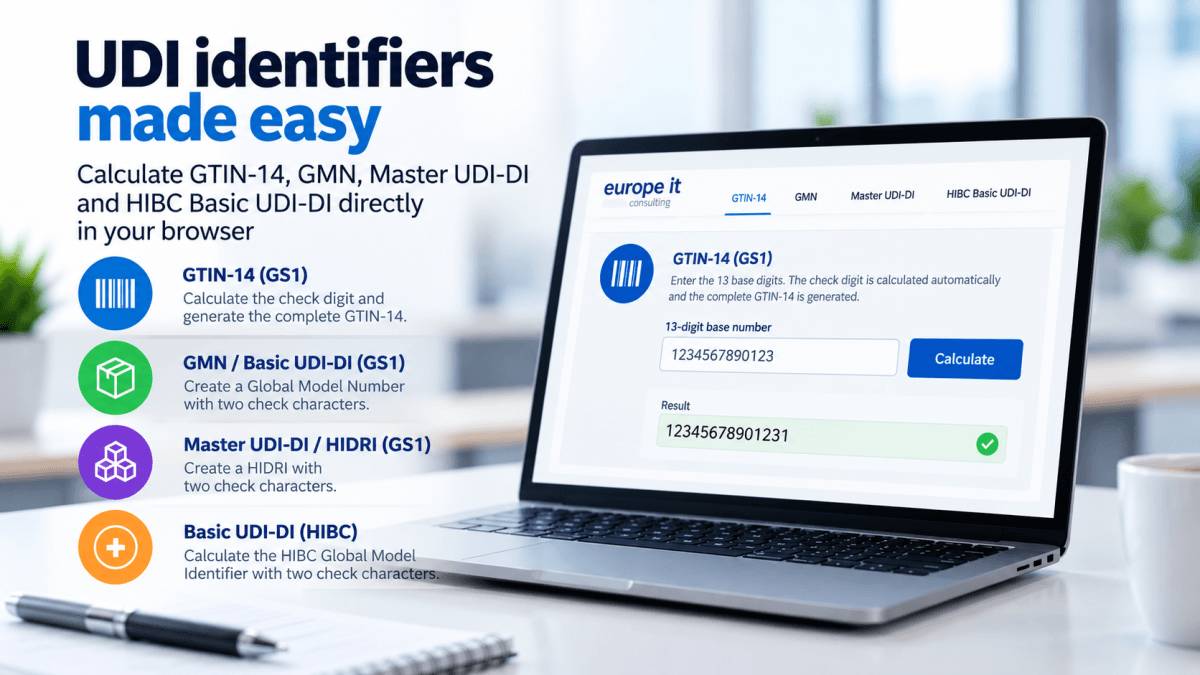
Calculate GTIN-14, GMN, Master UDI-DI and HIBC Basic UDI-DI directly in your browser
Correctly creating UDI identifiers is one of the fundamental tasks in UDI data management. Depending on the Issuing Entity used and the type of identifier, however, different structures and methods apply for calculating the required check characters.
Europe IT Consulting therefore provides a new free online calculator that allows companies to create various GS1 and HIBC identifiers directly in the browser and calculate the corresponding check characters.
The calculator currently supports:
GS1 GTIN-14
Based on the first 13 digits, the required check digit is calculated using the GS1 Modulo 10 method and the complete GTIN-14 is generated.
GS1 GMN / Basic UDI-DI
For manufacturers using GS1 as their UDI Issuing Entity, the Basic UDI-DI can be created based on the GS1 Company Prefix and a model reference and completed with the required two check characters. In the GS1 system, the Basic UDI-DI is represented by the Global Model Number (GMN). Public Health
GS1 Master UDI-DI / HIDRI
The calculator also supports the GS1 HIDRI structure for the Master UDI-DI. The Master UDI-DI was introduced for certain highly individualised medical devices and is used to group products according to defined common design parameters. Public Health
This function is currently particularly relevant for contact lens manufacturers: mandatory use of the Master UDI-DI for contact lenses begins on 9 November 2026. For spectacle frames, spectacle lenses and ready-to-wear reading spectacles, mandatory implementation will follow on 1 November 2028. Public Health
In the GS1 HIDRI variant, the Master UDI-DI uses the GMN-based format with two check characters. The GS1 Application Identifier (8014) is not included in the calculation of the check characters.
HIBC Basic UDI-DI
Companies using HIBCC as their Issuing Entity can also calculate their Basic UDI-DI. The calculation is based on the Labeler Identification Code (LIC) and the Global Model Identifier. The required two check characters are calculated automatically. HIBCC uses its own check character method based on Modulo 1021 and Modulo 32. hibcc.org
Less manual calculation – fewer sources of error
At first glance, check characters may appear to be only a minor technical detail. However, an incorrect identifier can result in data not being validated or processed correctly in downstream processes.
The new calculator is therefore designed particularly to support Regulatory Affairs, Quality, UDI and master data professionals in quickly creating identifiers and calculating their check characters in a transparent and reproducible way.
No installation or registration is required. The calculation is performed directly in the browser; the data entered is neither transmitted nor stored by the calculator.
GTIN, Basic UDI-DI and Master UDI-DI are not the same
When working with UDI data, distinguishing between the different identifiers is essential.
A GTIN or UDI-DI identifies a specific trade item or a specific device.
The Basic UDI-DI, by contrast, links medical devices with the same intended purpose, risk class and common essential design and manufacturing characteristics at a higher level. It does not appear on the product packaging, but plays a central role, for example, in EUDAMED, technical documentation and regulatory documents. For HIBC, HIBCC explicitly describes this function in its specification. hibcc.org
The Master UDI-DI, on the other hand, was developed specifically for certain highly individualised products. It can represent a group of products that share defined relevant design parameters. This can significantly reduce the number of UDI-DIs that need to be managed for such product portfolios. Public Health
From identifier to complete UDI registration
The calculator deliberately focuses on the technical creation and verification of identifiers.
It does not replace allocation or licensing by GS1 or HIBCC and does not perform registration with EUDAMED or any other regulatory authority.
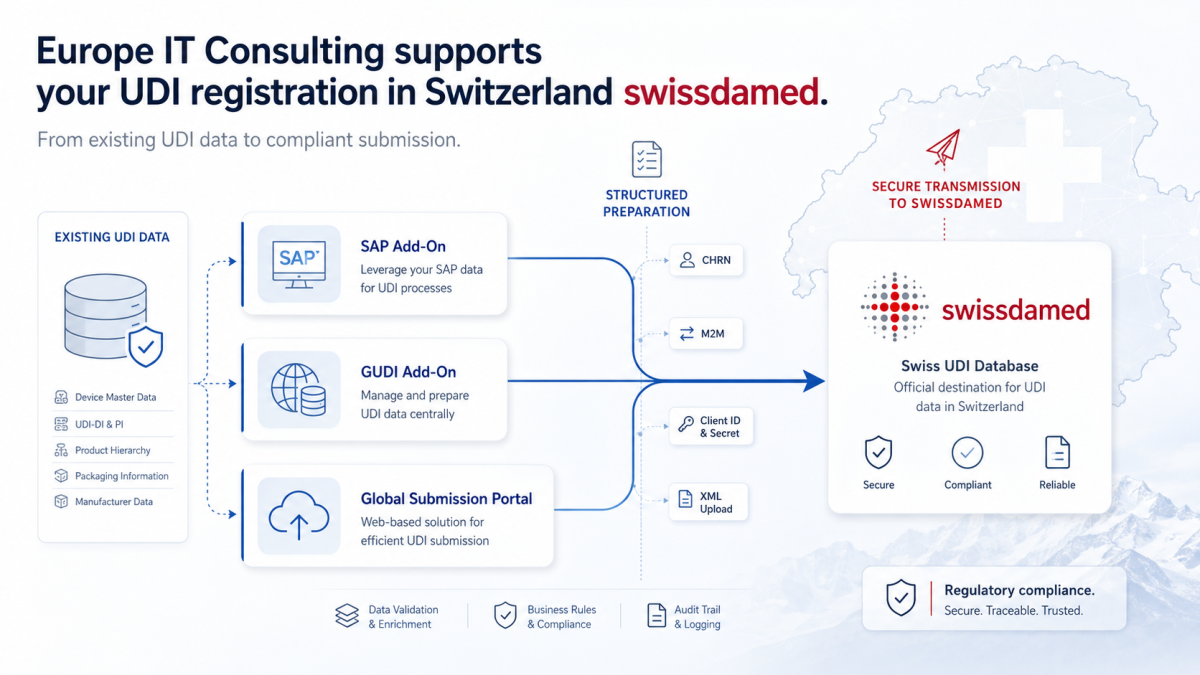
Once the correct identifiers have been created, the next step is therefore to compile, validate and submit the complete UDI and device master data to the relevant regulatory databases.
With Europe IT Consulting’s UDI solutions, companies can manage and validate this data in a structured way and submit it, among others, to EUDAMED and swissdamed.
Go to the free UDI check character calculator:
Calculate GTIN-14, GMN, Master UDI-DI and HIBC Basic UDI-DI






Related Posts