SAP LABEL PRINTING · INTEGRATION & OUTPUT
Integrate Zebra printers into SAP and print labels reliably
From SAP data and form logic through device types, spool and network to the printed barcode label: Europe IT Consulting supports the complete SAP–Zebra printing process.
End-to-end guidance from SAP data to the verified label
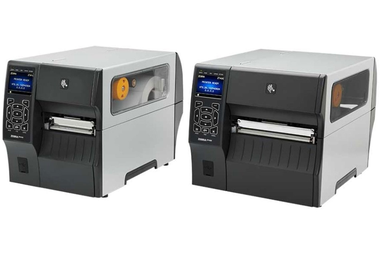
A working integration of Zebra printers into SAP consists of several coordinated components. The printer must be reachable on the corporate network and configured appropriately in SAP. The device type, resolution, printer language and spool settings must match the model. The label also needs suitable form logic, for example using SAP Smart Forms or Adobe Forms.
Europe IT Consulting supports planning, form development, SAP and network integration, barcode generation, Adobe Document Services, Unicode character sets, testing and troubleshooting. This connects the technical steps into a traceable process: SAP supplies business and product data, the form prepares content and layout, the SAP printing process generates the intended output and the Zebra printer prints the label.
Typical applications range from logistics and product labels to GS1 and UDI labelling. Whether a particular device type, Smart Forms, Adobe Forms or another configuration is suitable depends on the SAP release, printer model, resolution, barcode requirements, character sets and existing output management.
INTEGRATION LAYERS
What does SAP–Zebra integration involve?
SAP data and triggers
Which material, product, batch, serial or business data is needed, and which SAP process triggers printing?
Form and barcode
How are text, graphics, variable fields and barcodes arranged in Smart Forms or Adobe Forms and populated with SAP data?
Device type and output
Which SAP device type, printer language, resolution and spool configuration suit the Zebra model and label?
Network and operations
How is the printer made accessible, monitored and incorporated into existing network, security and operating processes?
Character sets and ADS
Which additional or Unicode character sets are required, and how must Adobe Document Services be configured?
Testing and quality
Are content, positioning, barcode size, print quality and processing speed correct under real production conditions?
THE PRINT CHAIN
The printing process from SAP to the Zebra label
One process. Six precisely aligned layers.
1. SAP data
Provide variable content and the print job
2. Form
Generate content, layout, conditions and barcode fields
3. Output preparation
Process form output for the device and printer language
4. SAP spool and network
Send the print job to the correct output device
5. Zebra printer
Print the label with the intended content and barcode
6. Testing and operations
Check print appearance, readability, speed and error behaviour
ENGINEERING & OPERATIONS
Services from Europe IT Consulting
Planning, implementation and troubleshooting are handled as one connected output chain.
Project-specific configuration
An existing SAP device type alone does not guarantee working label printing. Printer model, resolution, firmware, SAP release, form technology, barcode requirements, network and media must be compatible.
Printer and system concept
Before technical setup, we record label formats, print volumes, printer models, resolution, locations, SAP processes, barcodes and required character sets. This allows components to be selected for the actual use case.
Device type, SAP spool and network integration
Europe IT Consulting supports the integration of Zebra printers into corporate networks and SAP output management. This includes selecting the appropriate device type, setting up the output device, spool and communication parameters, and analysing transmission or output problems.
Labels with SAP Smart Forms or Adobe Forms
Labels are developed for the intended SAP process. Variable SAP data, text, graphics, conditions and barcode fields are incorporated into the form. Existing forms can be analysed and adapted for new printers, formats or additional content.
GS1 barcodes and 2D codes
Possible barcode formats include DataMatrix and EAN-128/GS1-128. Data content, Application Identifiers, size, module width, quiet zone and available print resolution must be considered together. The SAP Barcode Generator is a complementary Europe IT solution for barcode generation in SAP.
Adobe Document Services and Unicode
With Adobe Forms, Adobe Document Services configuration can determine whether additional character sets are output correctly. Europe IT Consulting supports setup and performance optimisation for Unicode requirements, for example Chinese, Japanese or Cyrillic characters.
Monitoring, testing and troubleshooting
Depending on the system landscape, printer monitoring with ZebraNet Bridge Enterprise can be incorporated into operations. Test prints help check layout, data content, barcodes, character sets and processing speed before production use. Existing problems are systematically isolated along the chain from SAP form and spool through network to printer.
FORM TECHNOLOGY
Smart Forms or Adobe Forms for Zebra labels?
SAP Smart Forms
Smart Forms can be used for SAP-integrated labels where the existing systems, form logic and output requirements are suitable. Reliable variable data transfer, barcode representation and printer-compatible output are essential.
Adobe Forms
Adobe Forms offers extensive layout and form options. Operation requires Adobe Document Services and suitable output or print configuration. Fonts, embedding, Unicode and performance are particularly important for international labels.
The choice should not be made in isolation. Existing SAP forms, release strategy, layout complexity, barcode generation, print volume and supported character sets all belong in the decision.
DEVICE TYPE & RESOLUTION
SAP device types AZPL203 and AZPL300
SAP device types such as AZPL203 and AZPL300 may be relevant when connecting Zebra printers. These names refer to different output or resolution requirements. The actual suitability of a device type must be checked against the printer model, print resolution, SAP system and label layout.
In addition to the device type, the SAP output device, access method, host spool, network parameters, device settings and form-generated data stream are important. Europe IT Consulting supports their coordination and analysis when test prints are missing, incomplete or unexpectedly formatted.
SEPARATING UDI & GS1 CORRECTLY
UDI and GS1 labels as a use case
For medical devices, UDI and GS1 requirements can determine label content. Physical label printing must nevertheless be distinguished from UDI data management and transmission to authorities:
- 1
UDI data management: maintain, check and approve product and UDI data — for example with GUDI in the SAP environment.
- 2
Barcode generation: encode the data required for labelling into the intended barcode.
- 3
Form and printing: position human-readable text, the barcode and other content on the label and send the output from SAP to the Zebra printer.
- 4
Transmission to authorities: transmit UDI records to the relevant regulatory target system through a separate UDI submission process .
This distinction prevents a technically readable barcode from being automatically equated with a complete or accepted authority record.
If the data model, labelling requirements and system process first need to be defined together, see UDI consulting for medical device manufacturers.
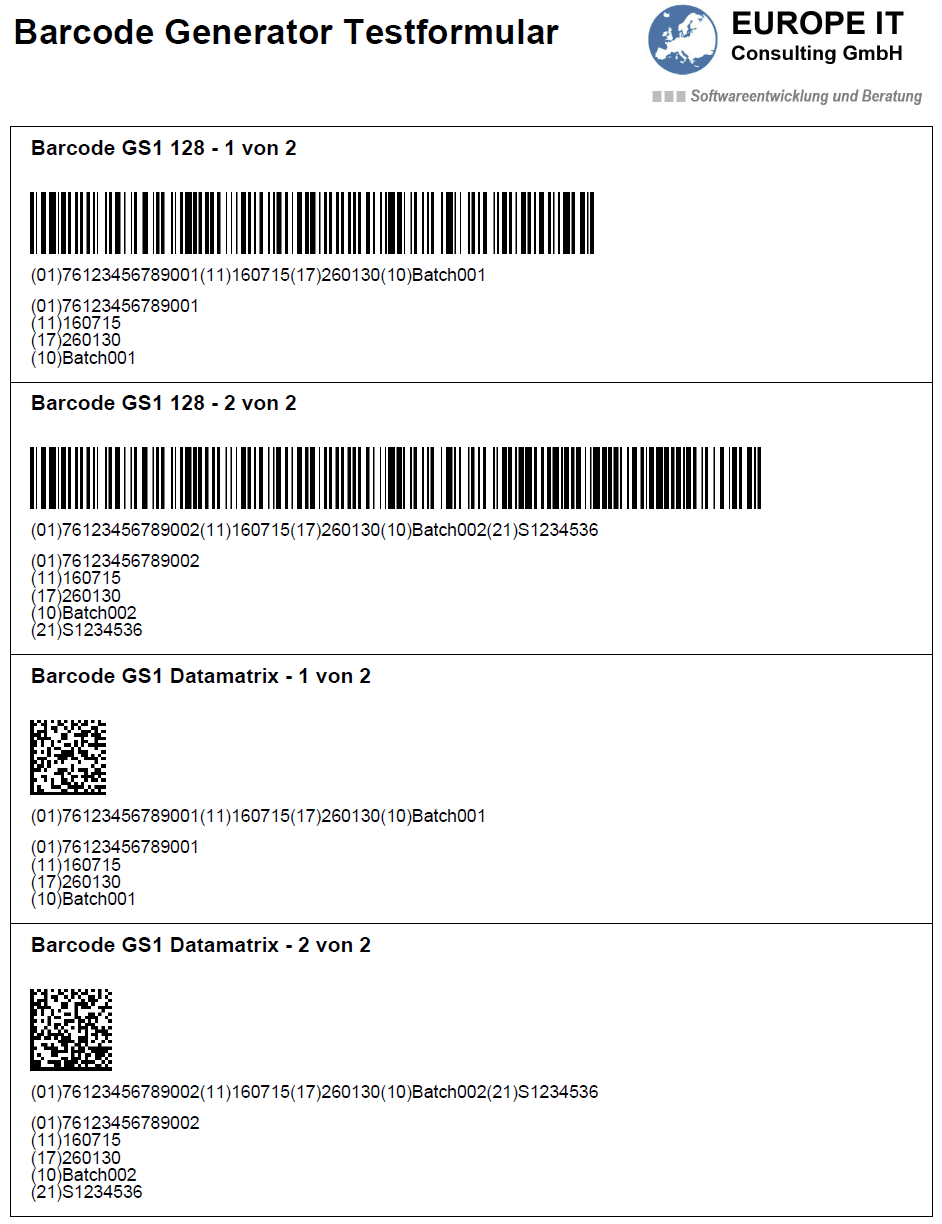
TESTING & ALIGNMENT
GS1 barcode test form for project alignment
The existing test form provides barcode examples for testing and coordination in SAP printing environments.
Technical example for testing and alignment. Content, layout and readability must be verified for the specific project before productive use.
TECHNICAL QUESTIONS
Frequently asked questions about Zebra printers in SAP
Can every Zebra printer be used in SAP with AZPL203 or AZPL300?
Does Europe IT develop labels with Smart Forms and Adobe Forms?
Does Europe IT support DataMatrix and GS1-128?
Why are Unicode characters printed incorrectly on a label?
Is a printed UDI barcode the same as a UDI submission?
NEXT STEP
Discuss your SAP–Zebra project
For an initial technical assessment, useful information includes SAP version, form technology, printer models, resolution, label formats, barcodes, character sets, network/spool configuration and current error symptoms.
Discuss your SAP–Zebra requirements with Europe IT Consulting.
Europe IT Consulting · SAP and MedTech specialists from Switzerland
